
Introduction
AI APIs are now a core part of modern software. From chatbots to automation tools, developers rely on APIs to integrate machine learning capabilities without building models from scratch.
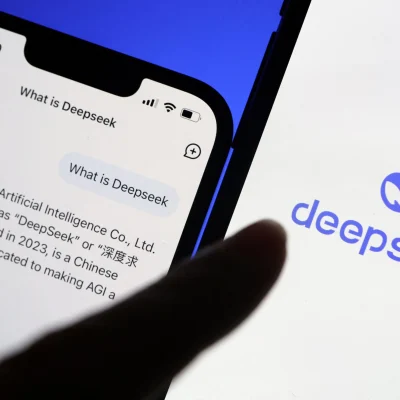
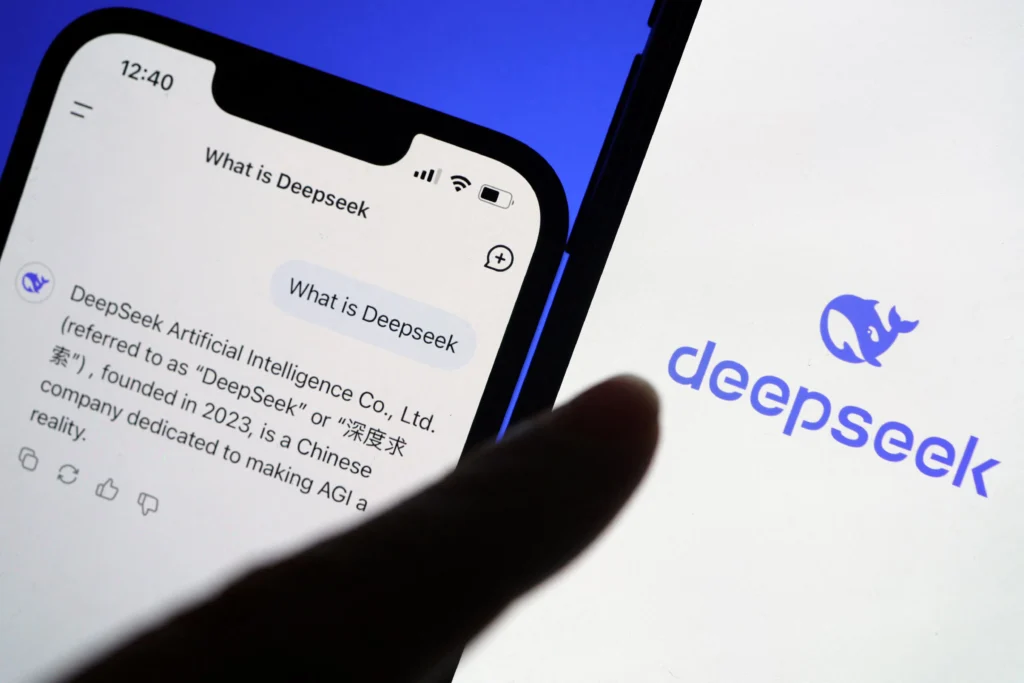
DeepSeek is gaining traction as a cost-efficient alternative in this space. It offers strong performance across language tasks while keeping pricing competitive. For startups and engineering teams, this balance matters.
Before integrating any AI API, you need to understand how pricing works. Costs can scale quickly if usage is not controlled. This guide breaks down DeepSeek pricing in a practical way so you can plan, estimate, and optimize your usage.
What Is DeepSeek API Pricing
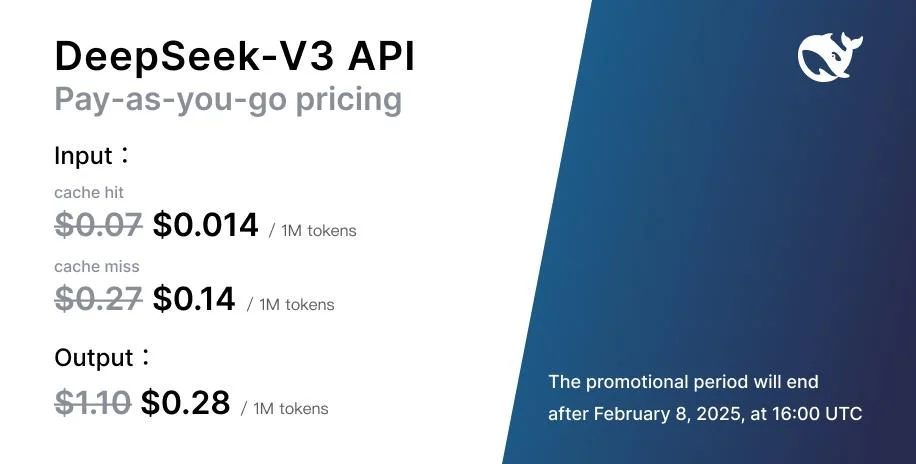
DeepSeek API pricing is based on usage. You pay for what you consume. The main unit used for billing is tokens.
Tokens represent pieces of text. A single word can be one token or multiple tokens depending on structure. Both input and output tokens are counted.
This means:
- You pay for the text you send
- You pay for the text the model generates
This model is common across modern AI providers. The difference comes in cost per token and efficiency.
DeepSeek stands out because it offers lower pricing compared to many competitors while maintaining solid performance.
How Token-Based Billing Works
Token usage is the core of your cost.
Here is a simple breakdown:
- Input tokens = your prompt
- Output tokens = model response
- Total cost = input + output tokens
Example:
If you send a 100-token prompt and receive a 200-token response, you are billed for 300 tokens.
Why this matters:
- Longer prompts increase cost
- Longer responses increase cost
- Inefficient prompts waste tokens
Developers often ignore prompt size early on. This leads to higher bills later.
Model Selection and Pricing Impact
DeepSeek provides multiple models. Each model has a different cost.
General rule:
- Lightweight models = cheaper, faster
- Advanced models = more accurate, more expensive
Use cases decide model choice.
Examples:
- Simple chatbot → lightweight model
- Code generation → advanced model
- Data analysis → higher-capability model
Choosing the wrong model increases cost without adding value.
Key Factors That Affect DeepSeek API Costs
Several variables impact your final cost.
1. Prompt Length
Long prompts increase token usage. Keep them short and clear.
Bad approach:
- Repeating instructions
- Adding unnecessary context
Good approach:
- Direct instructions
- Structured prompts
2. Output Size
The model response also adds cost.
If you request long answers, you pay more.
Control this by:
- Setting response limits
- Asking for concise outputs
3. API Call Frequency
Frequent requests increase total cost.
High-traffic apps like chatbots or automation tools can generate thousands of calls daily.
Without optimization, costs grow fast.
4. Advanced Features
Some features may increase pricing:
- Extended context windows
- Fine-tuning
- Priority processing
Use these only when needed.
Pricing Models and Flexibility
DeepSeek follows a flexible pricing structure.
Pay-As-You-Go
You pay based on usage. No fixed cost.
Best for:
- Startups
- Testing projects
- Variable workloads
Free or Trial Access
Some usage may be free or limited.
Useful for:
- Testing API
- Learning integration
- Building prototypes
Tiered Pricing
Higher usage may unlock better rates.
This benefits:
- SaaS platforms
- High-scale applications
Also visit: Data loss prevention (DLP)
DeepSeek vs Other AI APIs
Developers often compare DeepSeek with other providers.
Key comparison areas:
1. Cost Efficiency
DeepSeek is often cheaper per token.
This makes it attractive for:
- Startups
- Budget-sensitive projects
2. Performance
Performance is competitive for:
- Text generation
- Chat-based systems
- Automation workflows
3. Transparency
Clear pricing helps teams estimate costs.
This reduces surprises in billing.
Cost Optimization Strategies (Important for Scaling)
If you plan to use DeepSeek in production, optimization is critical.
1. Optimize Prompts
Reduce unnecessary words.
Example:
Bad:
Explain in detail how AI APIs work in modern applications with examples.
Better:
Explain AI API usage in apps.
2. Limit Output Tokens
Set response length limits.
Shorter responses reduce cost.
3. Use the Right Model
Do not use high-end models for simple tasks.
Match model to task.
4. Cache Responses
Store repeated responses.
Avoid duplicate API calls.
5. Batch Requests
Combine multiple queries.
This reduces API calls.
6. Monitor Usage
Track:
- Token usage
- API calls
- Cost trends
Use logs or dashboards.
Real-World Use Cases and Cost Impact
Chatbots
High usage volume.
Cost drivers:
- Continuous conversations
- Long responses
Optimization:
- Short replies
- Context trimming
Content Generation
Used in:
- Blogs
- Product descriptions
- Emails
Cost depends on:
- Output length
- Prompt size
Developer Tools
Examples:
- Code generation
- Debugging tools
Higher complexity may require advanced models.
Data Processing
Used for:
- Text analysis
- Classification
- Insights
Costs vary based on data size.
Why DeepSeek Is Gaining Adoption
Several reasons:
- Competitive pricing
- Strong performance
- Flexible usage
- Suitable for scaling
It fits well for:
- SaaS products
- Automation tools
- AI-powered applications
Common Mistakes That Increase Cost
Avoid these:
- Overly long prompts
- Using advanced models unnecessarily
- Not limiting output size
- Ignoring usage tracking
- Making repeated API calls
These issues increase costs quickly.
Final Thoughts
DeepSeek API pricing is designed to be flexible and scalable. It works well for both small projects and large applications.
The key to success is not just choosing the right API. It is managing how you use it.
Focus on:
- Efficient prompts
- Smart model selection
- Continuous monitoring
If done right, you can build powerful AI features without overspending.
visit: video outro for YouTube